
For house-cleaning businesses
Run your cleaning business from one schedule.
Put every cleaning on one calendar. Send the crew out with the address and the notes. Remind clients by text and get paid when the job is done.
14 days of Pro, free. No card to start.
What Cleanbook covers
- SchedulingThe week on one calendar. Recurring cleanings and who is going.
- CrewToday's houses, clock in and out, availability, hours.
- Get paidInvoices, pay links, cards on file, and reports.
- TextsReminder texts and two-way texting from your business number.
- BookingA request page and a simple website for your business.
Scheduling
See the gaps before the phone rings.
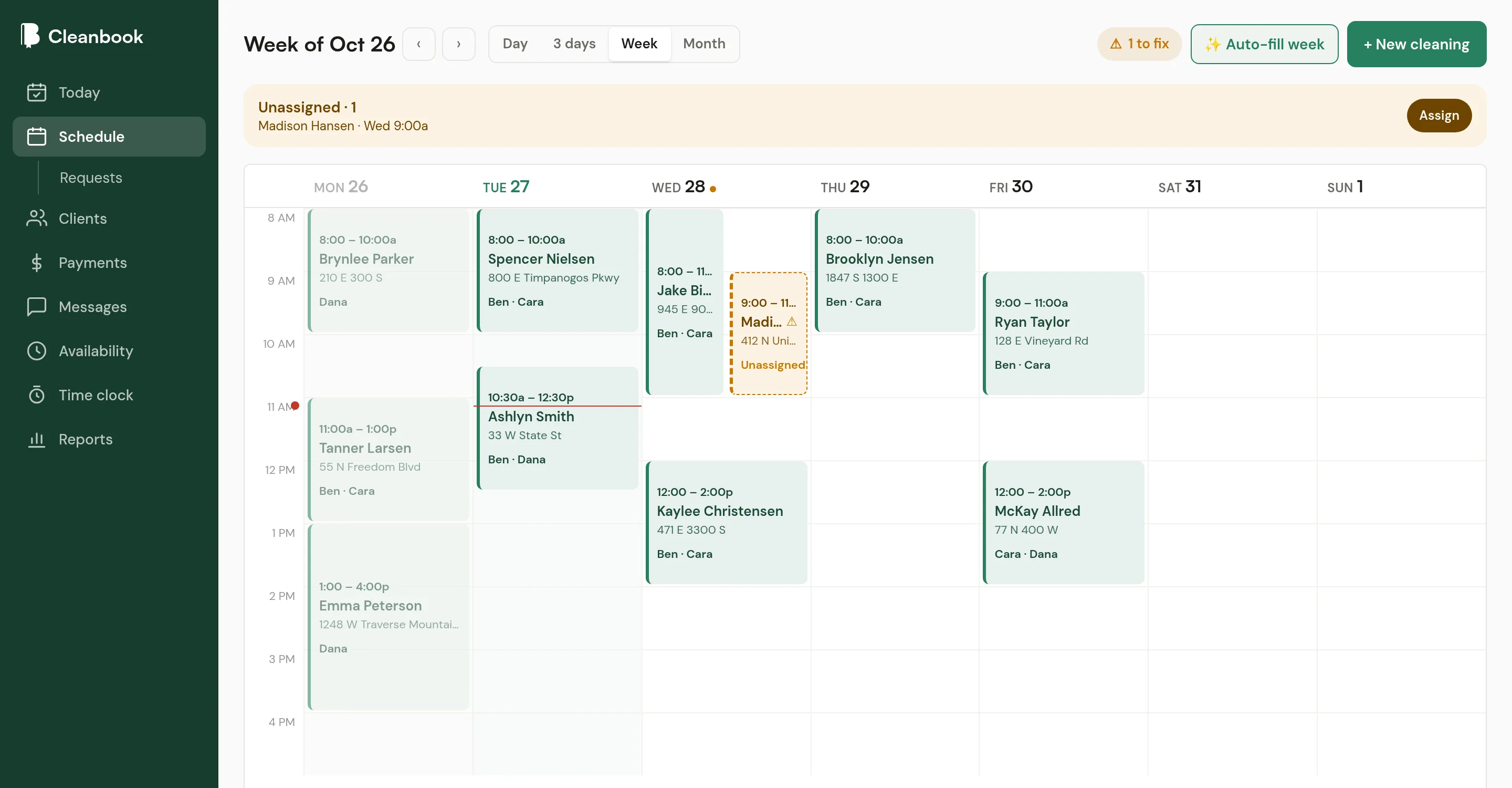
A client calls asking for Thursday morning. On a time grid you can see if Thursday morning is free. Every cleaning is a block, so a light day and a packed day look different.
- Weekly, every 2 weeks, every 4 weeks, monthly, or custom
- Drag to create, move, or stretch a cleaning
- Flags when nobody is assigned or a cleaner is off
Crew
Your cleaners know where to go without texting you.
Each cleaner sees their own houses for the day, with directions, the home notes, and a checklist. They clock in when they start and mark the job done when they finish.
You see who is on the clock, who is off next week, and how many hours everyone worked.
How the crew side works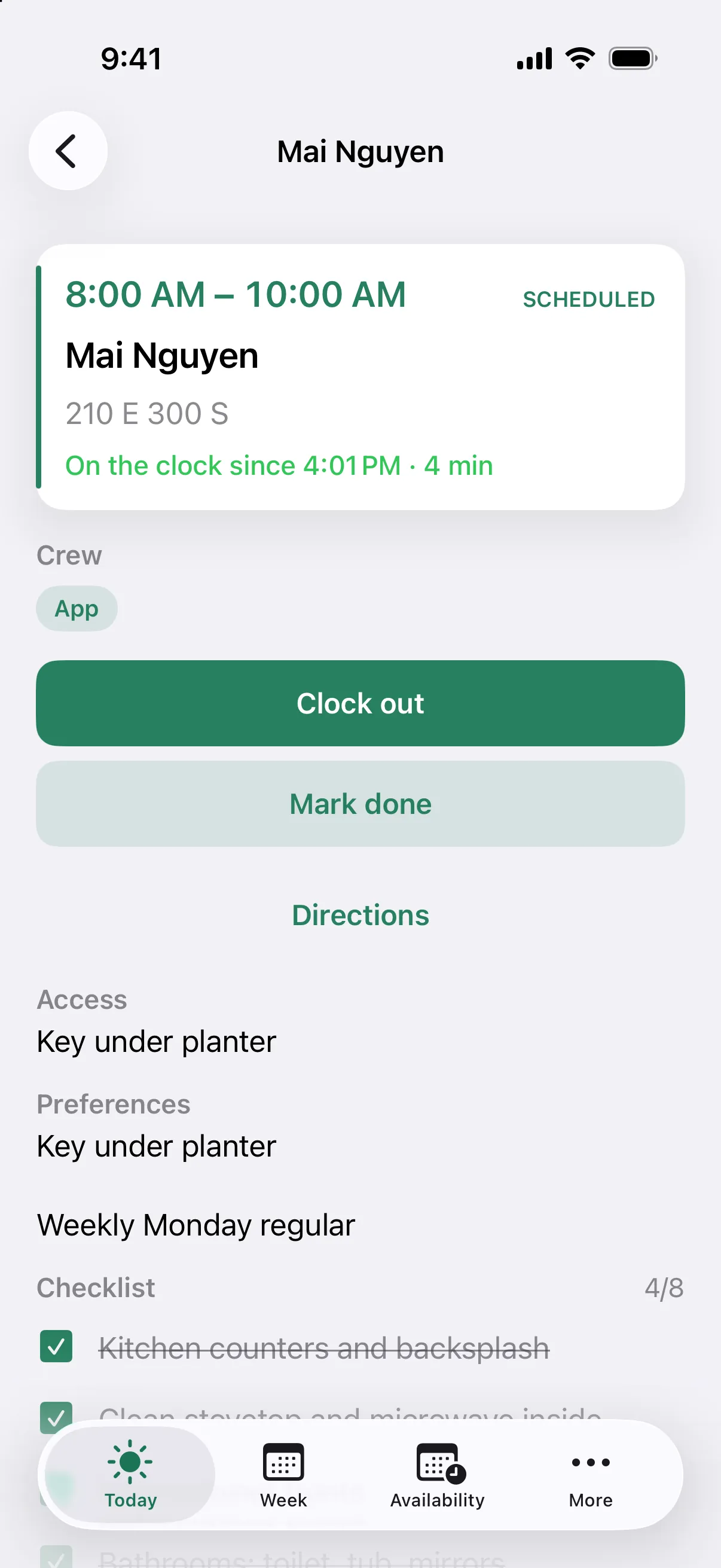
Get paid
Send the bill the day you clean.
Turn a finished cleaning into an invoice in one click. Clients pay by card through Stripe from a link, with an optional tip. Or charge the card they saved when they confirmed.
Cash, check, and Venmo get marked paid in the same place, so the unpaid list stays honest. Invoicing and card payments are on both plans.
How getting paid works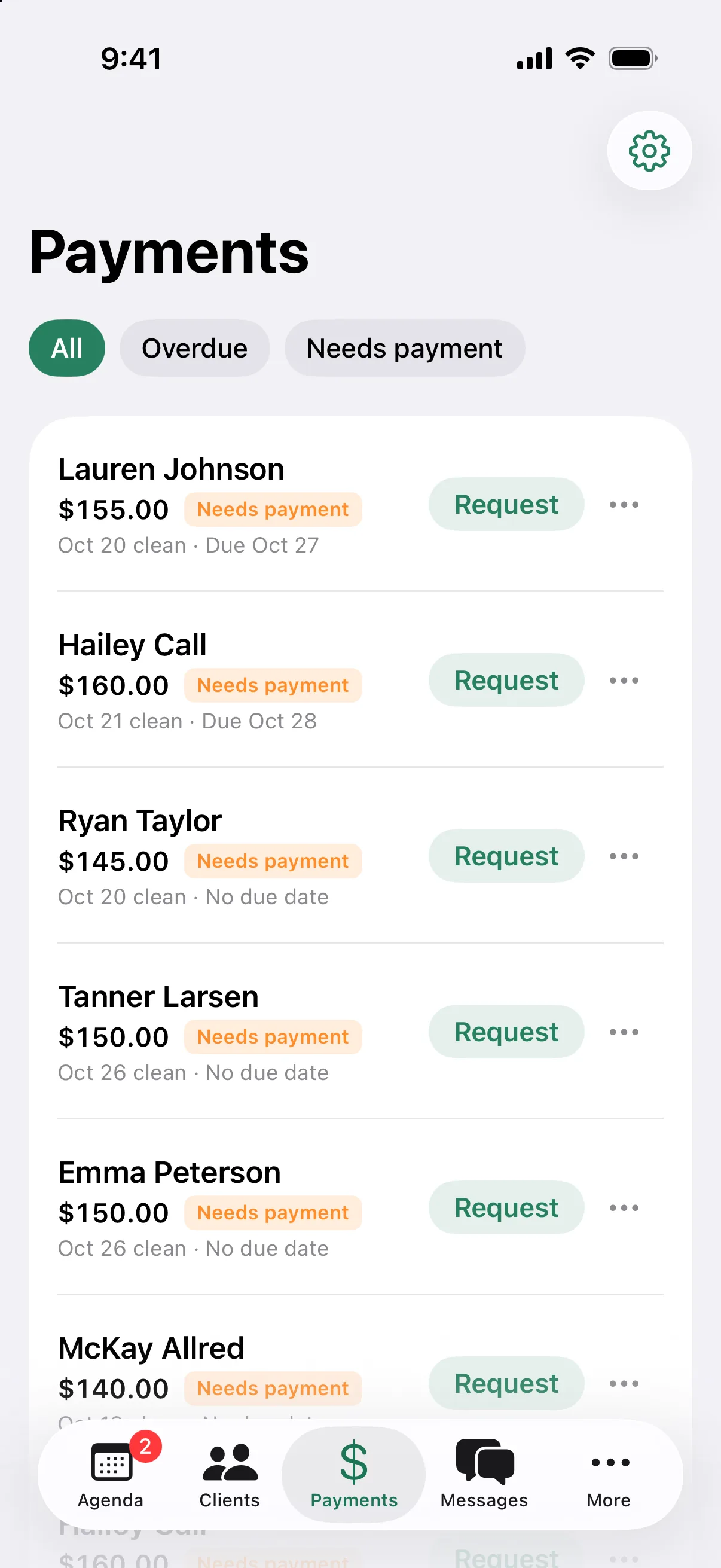
Texts
Reminders go out on their own.
Clients get a text from your business number before every cleaning. When they reply, it lands in one Messages inbox in the app, one thread per client.
No more texting twenty clients from your personal phone on a Sunday night.
How texting worksBooking
New clients pick a time. You say yes.
Share one link. New clients see your open times, pick one, and tell you about the home. The request waits in your inbox until you approve it, suggest another time, or decline.
Cleanbook also gives you a simple website with your services, prices, and photos.
How booking works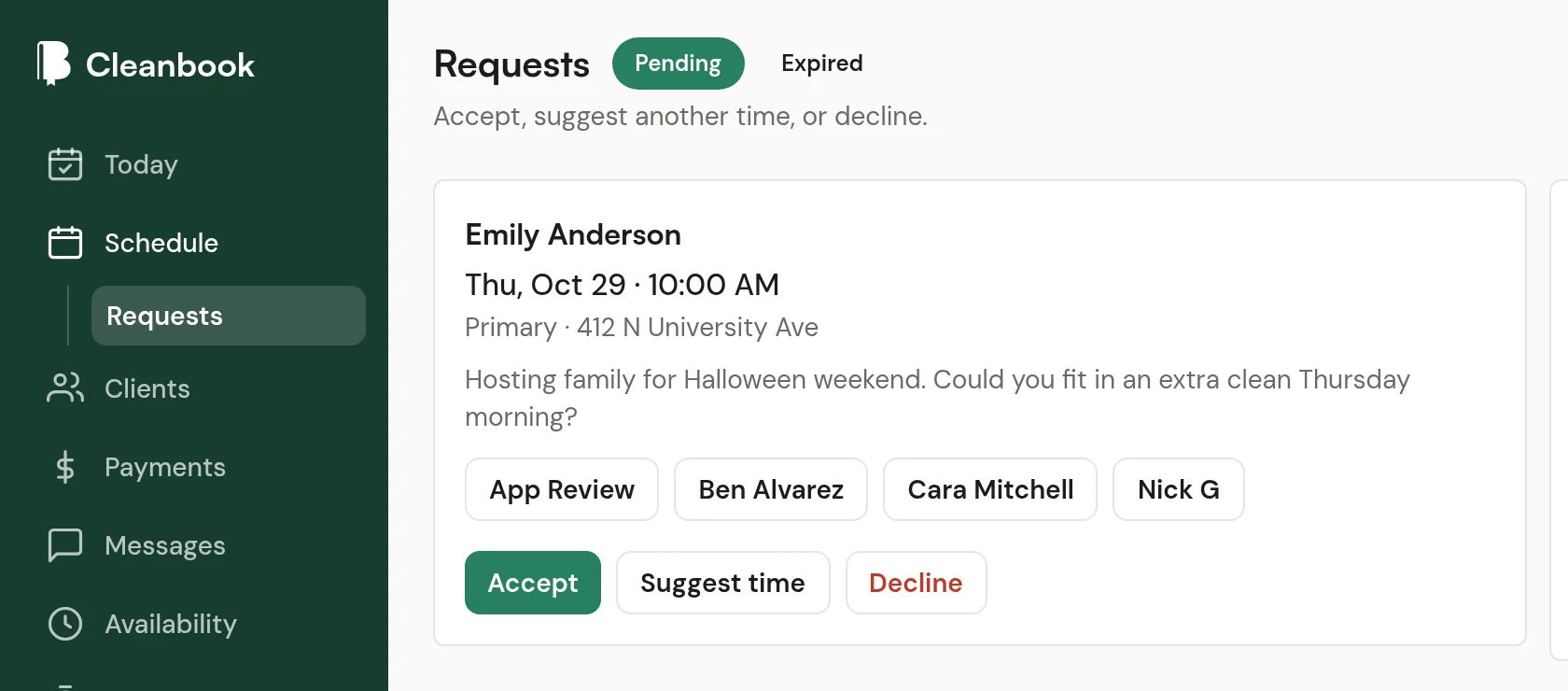
Clients
Every home, written down once.
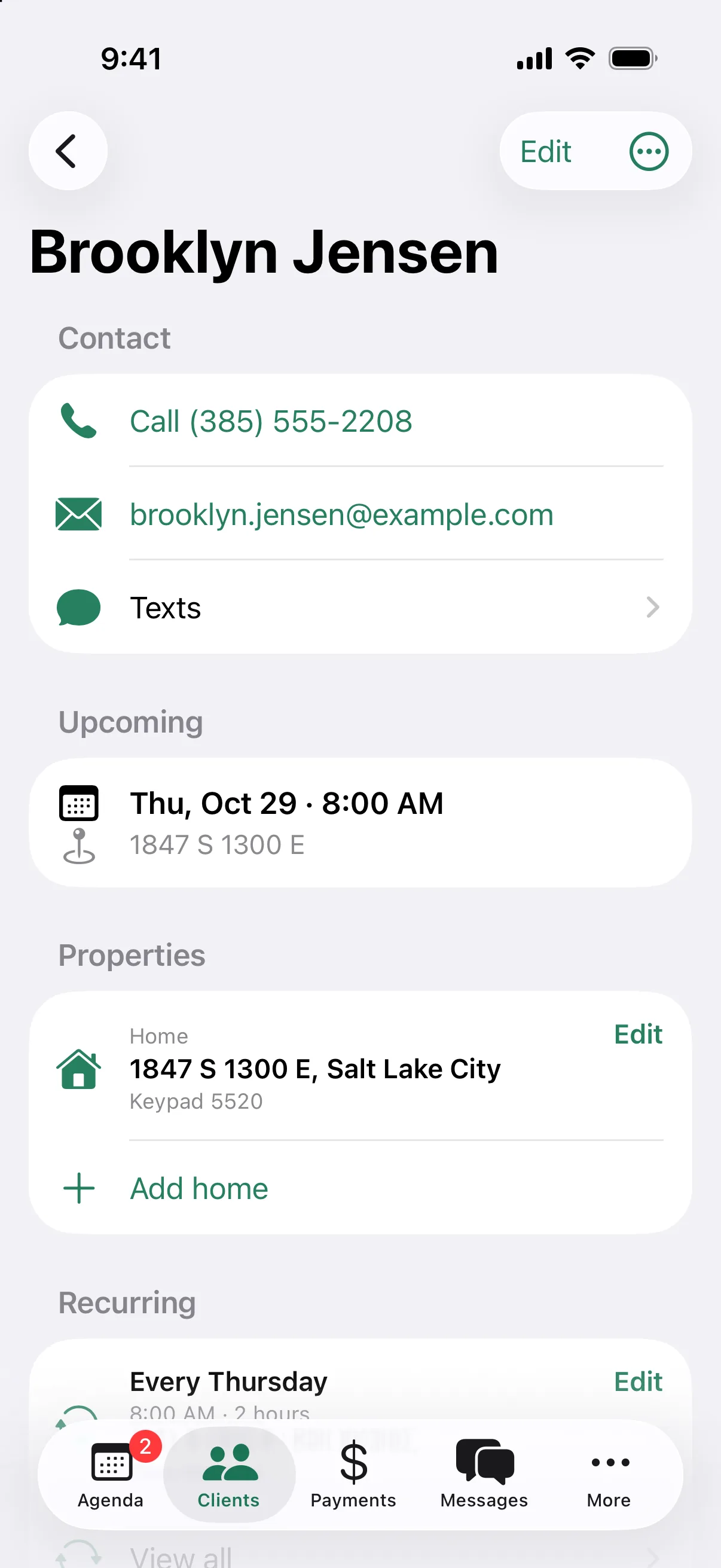
The key under the blue pot. The dog. The products they want you to skip. Notes and checklists live with the home, so whoever cleans it sees them.
Each client shows what is coming up, what they have paid, and when you last cleaned. Clients you have not cleaned in 60 days are marked at risk.
Getting started
Start with next week.
Add the clients you clean next week
Name, address, notes for the home, and how often you go. Add the rest as they come up.
Put the cleanings on the schedule
Set the repeat once. Assign who is going. Invite cleaners who should see their own day.
Turn on texts and payments
Connect Stripe and set up your business number. Reminders and pay links go out from there.
Pricing
Two plans. No per-client fees.
Clients and cleanings are unlimited on both. You pay for staff logins and the extras you use.
Starter
The schedule, the crew, and getting paid, for a small team.
$49per month
3 staff logins
Pro
14-day free trialEverything in Starter, plus texting and the client portal.
$99per month
10 staff logins, then $5 each
Questions
Something else? Ask us.
Who is Cleanbook for?
Owners of small house-cleaning businesses. You and a few cleaners, or just you. It covers the schedule, the crew, reminder texts, and getting paid. It is not built for every kind of field service.
How much does it cost?
Starter is $49 a month and includes invoicing and card payments. Pro is $99 a month and adds texting, the client portal, and more staff logins. New businesses get 14 days of Pro free, and you do not need a card to start.
Do my cleaners need their own login?
Only if you want them to have one. You can put someone on a cleaning without a login. Cleaners with a login see their own day, get directions, and clock in and out from their phone.
Does it work on a phone?
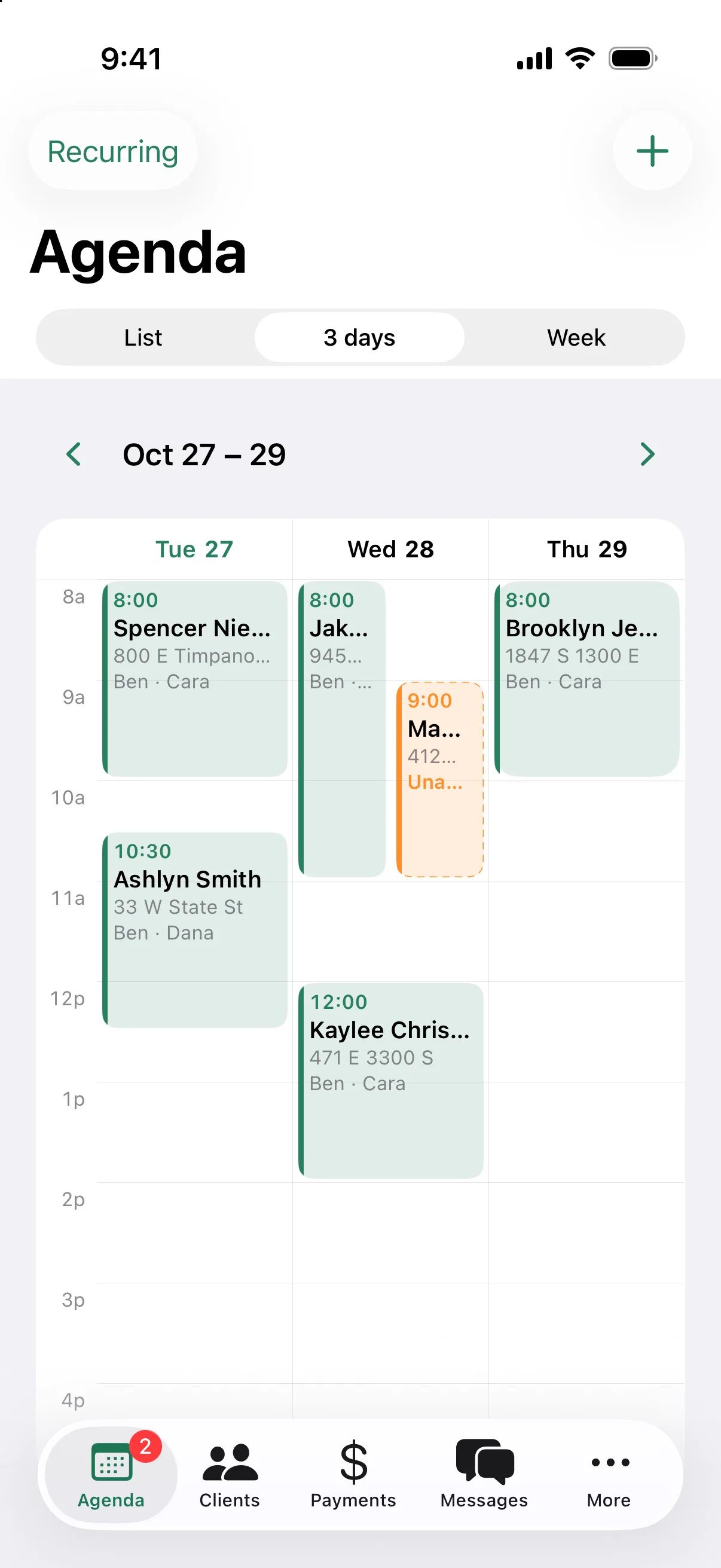
Yes. Cleanbook runs in the phone's browser and can be added to the home screen. The schedule switches to a 3-day view on small screens so the blocks stay readable.
Can new clients book online?
They can request a time from your request page. They pick from open times, and you approve it, suggest another time, or decline.
Do I have to move everything over at once?
No. Add the clients you clean next week and put their cleanings on the schedule. Add the rest as they come up.
Put next week on the schedule.
Start with the houses you already clean. Add the rest as they come up.
14 days of Pro, free. No card to start.