
Scheduling
The whole week on one calendar.
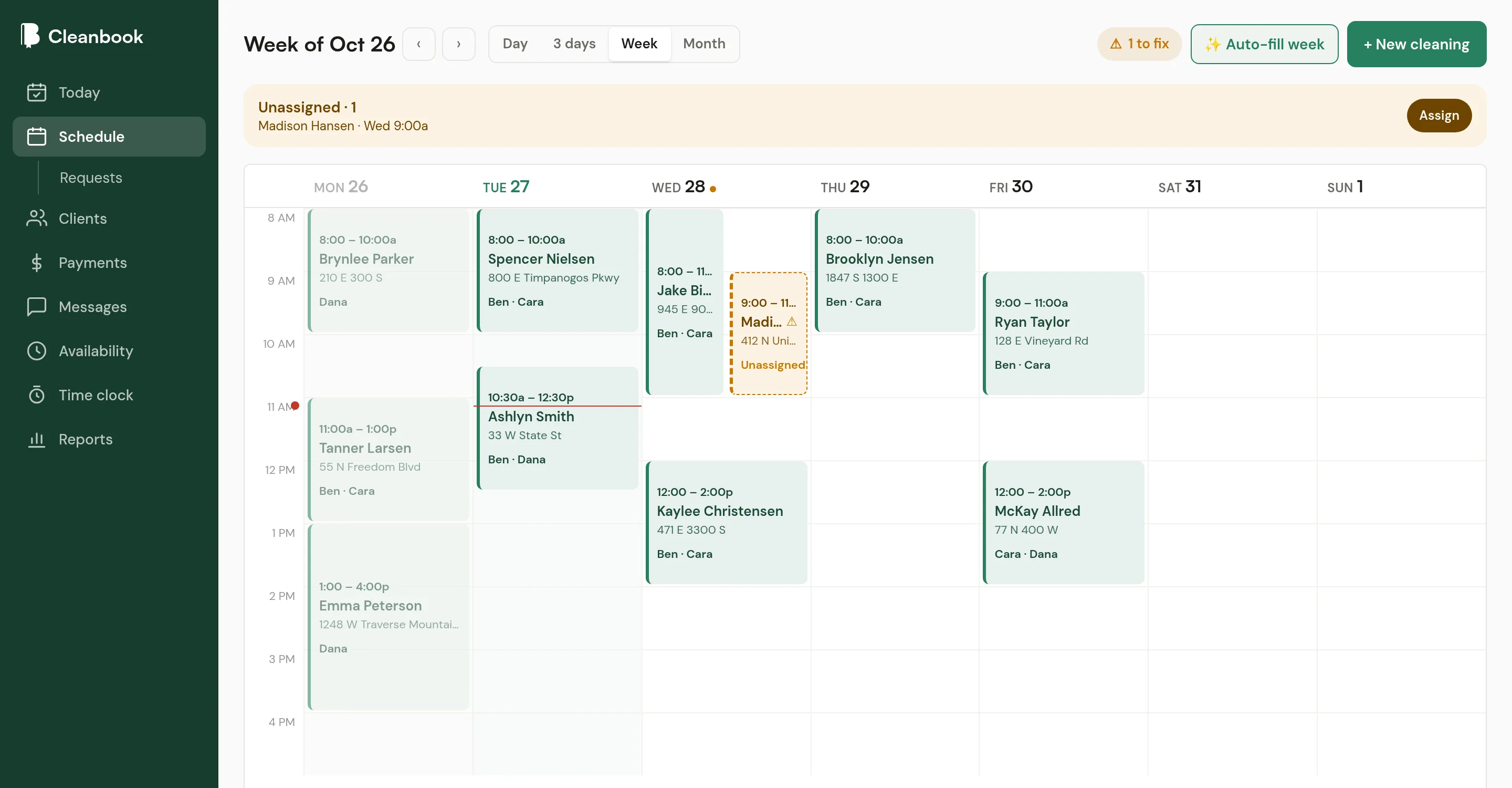
Every cleaning is a block on a time grid, as tall as the job is long. You can see a free Thursday morning, a packed Friday, and the cleaning nobody is going to yet.
14 days of Pro, free. No card to start.
Recurring cleanings
Set the repeat once.
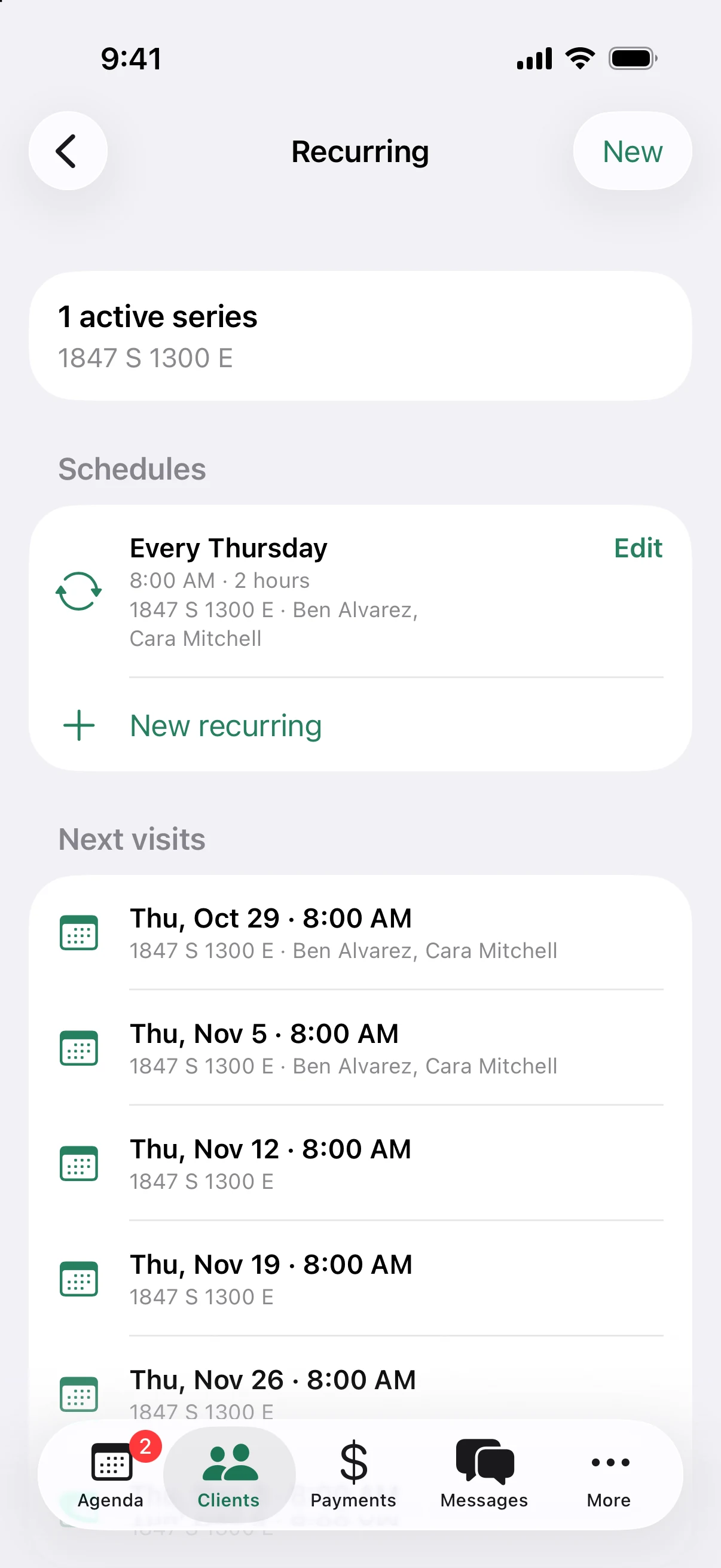
Most of your book repeats. Set each client's rhythm, time, length, price, and how many cleaners it takes. Cleanbook fills in the visits.
- Every week, every 2 weeks, every 4 weeks, or monthly on a date
- Custom rhythms like every 3 weeks, or more than one day a week
- Move one visit, this and the ones after it, or all of them
Before the day starts
Problems show up on the schedule, not at the door.
The schedule keeps a short list of what needs fixing this week. Clear it and the week is ready.
Nobody assigned
Cleanings without a cleaner get a dashed outline and sit in the to-fix list until someone is on them.
Short-staffed
If a deep clean needs two people and only one is on it, it is flagged.
Cleaner is off
Assign someone who marked that afternoon off and the block turns amber, with the reason on it.
Auto-fill the week
Let Cleanbook suggest cleaners for every open job. Review the list, untick what you do not want, and apply.
Drag to change
Drag on an empty slot to add a cleaning. Drag a block to move it, or pull the bottom edge to make it longer. Undo is one tap.
Day, 3-day, week, or month
Week for planning, day for this morning, month for the big picture. Phones open on 3 days so blocks stay readable.
Availability
Know who can work before you assign them.
Cleaners set their regular hours and add time off from their phone. You see everyone's week in one view, and the schedule checks it when you assign.
On-call helpers can be scheduled any time. They are not checked against regular hours.
More on the crew side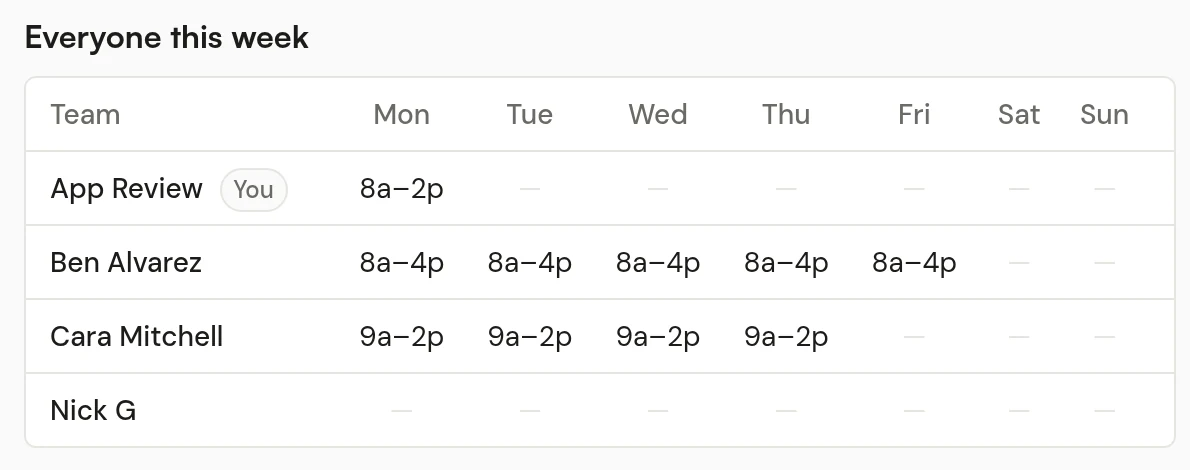
Also on the schedule
The small things that save a phone call.
Requests from new clients
Requests from your booking page wait under Schedule until you approve one, suggest another time, or decline.
Confirmations
Send a client a link to confirm their next cleaning and agree to your cancellation policy. The block shows when they have.
Service areas
If you cover more than one area, tag cleaners and homes by area and filter the schedule to one at a time.
Scheduling questions
What repeat options are there?
Every week, every 2 weeks, every 4 weeks, monthly on a date, or a custom rhythm like every 3 weeks. Weekly schedules can land on more than one day.
What if one cleaning moves but the rest stay put?
Move or cancel just that visit. Cleanbook asks whether the change is for this cleaning, this and the ones after it, or all of them.
Will it warn me when something is off?
Yes. Cleanings with nobody assigned, too few cleaners, or a cleaner who marked that time off are flagged on the schedule so you can fix them before the day starts.
What if I clean by myself?
That works. Put yourself on every cleaning. Add a helper later when you need one.
Is scheduling on both plans?
Yes. The schedule, recurring cleanings, requests, and availability are on Starter and Pro.
Put next week on the schedule.
Scheduling is on both plans. Start with a 14-day Pro trial.
14 days of Pro, free. No card to start.